
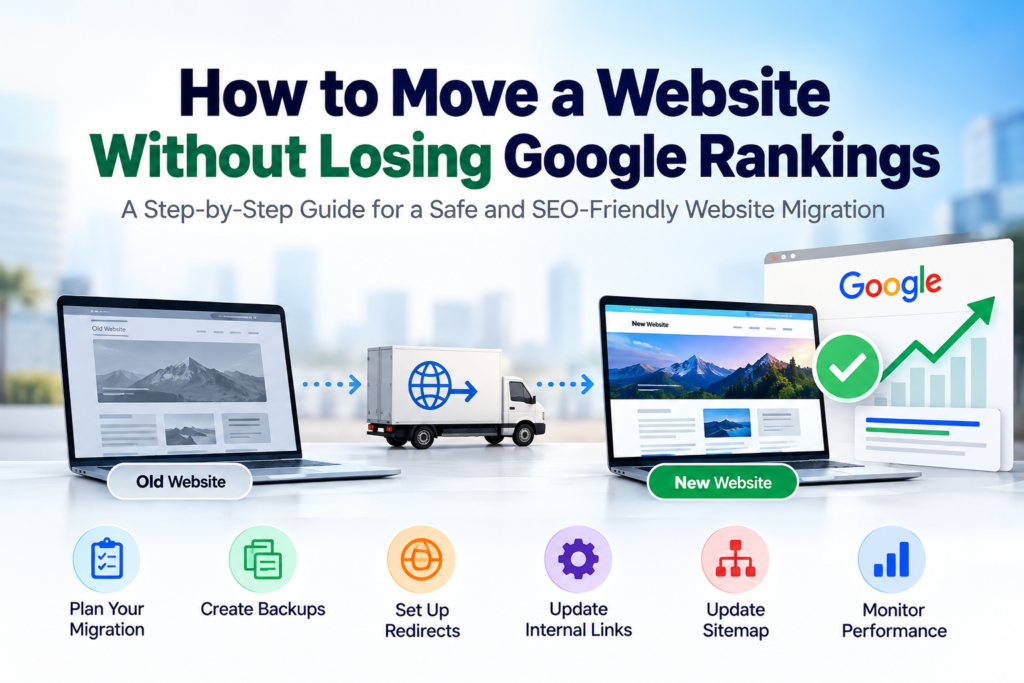
A Website Migration SEO project can be one of the most technically sensitive changes a business makes to its website.
A company may decide to:
change hosting,
move from one domain to another,
redesign its WordPress website,
change the CMS,
rebuild the website,
change URL structures,
move from HTTP to HTTPS,
or combine several websites.
To the business owner, the project may look simple:
Old website → New website.
Google sees something much more complicated.
It sees URLs.
Internal links.
Canonical URLs.
Redirects.
Sitemaps.
Structured data.
Page content.
Backlinks.
Status codes.
Crawl instructions.
And relationships between hundreds or thousands of pages.
If those signals suddenly change without a migration plan, Google may temporarily—or in some cases substantially—lose its understanding of parts of the site.
A website migration therefore should not begin with:
“Let’s launch the new design.”
It should begin with:
“What currently exists, what is changing, and how will every important signal be transferred?”
Google itself warns that significant site moves can cause temporary ranking fluctuations while its systems crawl and process the new URLs. For a medium-sized site, Google says this processing can take several weeks or longer. Google for Developers
That does not mean businesses should avoid migration.
It means migration should be engineered properly.
What Is Website Migration SEO?
Website Migration SEO is the process of protecting organic-search visibility while making significant changes to a website.
Those changes might involve:
a new domain,
new URLs,
new website architecture,
new CMS,
new server,
new design,
or combinations of these.
SEO migration work aims to preserve the relationship between the old website and the new one.
For example, if this page:
oldsite.com/web-design-dubai/
becomes:
newsite.com/services/web-design/
Google needs a clear signal telling it:
This new URL replaces that old URL.
A permanent server-side redirect is one of the main ways to communicate that relationship.
Without that mapping, the new page may be treated more like an entirely new URL while the old one disappears.
Can You Guarantee Zero Ranking Loss During a Website Migration?
No responsible developer or SEO professional should promise that rankings will remain completely unchanged.
Google explicitly says ranking fluctuations can occur during significant site changes while it recrawls and reindexes the site. Google for Developers
What professional migration work can do is reduce unnecessary risk.
That means preventing avoidable problems such as:
missing redirects,
accidental noindex directives,
broken internal links,
deleted ranking pages,
incorrect canonical tags,
lost content,
broken sitemaps,
and poor server performance.
There is an important difference between:
normal temporary migration fluctuation
and
traffic loss caused by migration mistakes.
The goal is to minimise the second.
Not Every Website Move Is the Same
Before creating a Website Migration SEO plan, identify what is actually changing.
A hosting migration where URLs remain exactly the same is different from a domain migration.
A redesign that preserves URLs is different from rebuilding the entire information architecture.
A WordPress-to-WordPress hosting move can be relatively straightforward.
Moving from WordPress to a custom application with a completely different URL structure is more complicated.
Common migration types include:
Hosting migration
The domain and URLs stay the same, but the website moves to another hosting environment.
Domain migrationoldcompany.ae becomes newcompany.ae.
CMS migration
The website moves from WordPress to another CMS or technology stack.
Redesign migration
The visual design, templates and possibly content architecture change.
URL migration
Existing URLs are renamed or reorganised.
HTTP to HTTPS migration
Old HTTP URLs become secure HTTPS versions.
Website consolidation
Two or more sites are merged into one.
The more things you change simultaneously, the more difficult troubleshooting becomes.
If rankings drop after changing:
the domain,
CMS,
content,
design,
URLs,
hosting,
and navigation
all on the same day, identifying the cause becomes much harder.
Website Migration SEO Starts Before Development
One of the biggest migration mistakes happens before the new website is even built.
The development team receives the old website.
The designer starts from scratch.
Pages are removed because they “look unnecessary.”
URLs are renamed because the new ones “look cleaner.”
The new website launches.
Only afterwards does someone ask:
“Why has our Google traffic dropped?”
SEO information should be collected before architecture decisions are finalised.
Before development, identify:
pages receiving organic traffic,
pages ranking for useful search terms,
pages receiving backlinks,
high-converting landing pages,
important service pages,
indexed pages,
existing redirects,
and important internal links.
A page should not be removed simply because it looks unimportant in the navigation.
It may be responsible for significant organic traffic.
Step 1: Crawl the Existing Website
Before touching the site, create an inventory.
A professional crawl can help identify URLs, titles, headings, canonical tags, status codes, internal links and other technical information.
You want a record of the current site before it disappears.
This becomes your migration reference.
If the old site contains:
150 indexable pages,
you should know what happens to those 150 pages after migration.
Some may remain unchanged.
Some may receive new URLs.
Some may be consolidated.
Some may legitimately disappear.
But every important URL should have a decision.
This is very different from launching the new website and then trying to remember what existed before.
Step 2: Export Search Console Data Before Migration
Google Search Console is one of the most valuable resources during a migration.
Before launch, export important data.
Look at:
top pages,
top queries,
clicks,
impressions,
indexing information,
sitemaps,
and links.
Identify pages that Google already considers important.
A page receiving only a small amount of direct website traffic may still receive valuable organic impressions.
Google specifically recommends using Search Console during site migrations to monitor indexing and sitemap information. Google for Developers
For businesses that need this technical search work handled together with development:
Step 3: Export Analytics Data
Search Console shows organic-search information.
Analytics gives another perspective.
Identify:
high-traffic pages,
landing pages,
conversion pages,
lead-generating pages,
revenue-producing pages,
and important user journeys.
Imagine your About page receives very little traffic.
It might be safe to restructure.
But suppose one service page generates 30% of qualified enquiries.
That page needs much more careful treatment.
Migration planning should prioritise commercial value as well as rankings.
Step 4: Record Existing Rankings
Record the search visibility of strategically important pages before migration.
You do not need to track every obscure keyword.
Focus on commercially meaningful searches.
For TheTriump, examples might include phrases related to:
website development,
Technical SEO,
conversion optimisation,
SEO services,
and lead generation.
This creates a baseline.
After migration you can distinguish between:
normal movement,
temporary migration volatility,
and more serious visibility loss.
Step 5: Create an Old-to-New URL Map
This is one of the most important migration documents.
Create two columns:
Old URL
and
New URL
For example:
| Old URL | New URL |
|---|---|
/web-design/ | /services/website-design-development/ |
/seo/ | /services/seo-services/ |
/contact-us/ | /contact/ |
This map becomes the foundation for redirects.
Google specifically recommends preparing a mapping between existing URLs and their corresponding new URLs before beginning a site move. Google for Developers
Do not leave this until after launch.
Step 6: Do Not Change URLs Without a Reason
A redesign does not automatically require new URLs.
Suppose this URL already ranks:
example.com/website-design-dubai/
The redesign team decides:
example.com/services/web-solutions-dubai/
looks more modern.
Why?
If there is no meaningful SEO, usability or structural reason to change a URL, preserving it can reduce unnecessary migration complexity.
Every changed URL creates another dependency:
redirect,
canonical,
internal-link update,
sitemap update,
tracking update,
potential backlink update.
A cleaner-looking URL is not automatically worth the risk.
Step 7: Use Proper Permanent Redirects
When an old URL permanently moves to a new URL, use a proper permanent server-side redirect where technically appropriate.
Google recommends permanent HTTP redirects such as 301 or 308 for permanent site moves. Google for Developers
Example:
Old:
example.com/web-design/
New:
example.com/services/web-design/
The old URL should permanently redirect directly to the new equivalent.
Google also states that 301 and other permanent redirects do not cause a PageRank loss simply because they are redirects. Google for Developers
This corrects an old SEO myth that every 301 automatically destroys a percentage of link authority.
The real risk is poor redirect implementation.
Step 8: Do Not Redirect Everything to the Homepage
This is one of the most damaging lazy migration strategies.
The old site has:
100 URLs.
The developer redirects all 100 to:
newsite.com/
Done.
Technically there are redirects.
SEO-wise, the mapping is poor.
Google specifically warns against redirecting large numbers of unrelated old URLs to one irrelevant destination such as the homepage because this can confuse users and may be treated as a soft 404. Google for Developers
Redirect pages to the closest relevant replacement.
Old dental implant page?
Redirect to the new dental implant page.
Old web-development page?
Redirect to the new web-development page.
If there is genuinely no equivalent content, decide whether a redirect is appropriate rather than forcing everything to Home.
Step 9: Avoid Redirect Chains
Consider:
Old URL
→ old redesigned URL
→ temporary URL
→ new URL
→ final URL.
That is a redirect chain.
Google can follow multiple redirects, but it recommends redirecting directly to the final destination wherever possible and keeping chains short. Google for Developers
Instead:
Old URL
→ Final URL.
Cleaner.
Faster.
Easier to maintain.
Migration work is a good opportunity to clean historical redirect chains.
Step 10: Keep Important Page Content
A common migration mistake is confusing better design with less content.
The old page might contain:
1,500 words,
FAQs,
technical explanations,
service details,
location relevance,
case-study information,
and internal links.
The redesign replaces everything with:
a hero section,
three cards,
one testimonial,
and “Contact Us.”
The new page certainly looks cleaner.
But the information Google and customers previously found useful has disappeared.
The ranking loss may then have less to do with the migration itself and more to do with the content being substantially weakened.
During redesign, ask:
What useful information exists here?
What search intent does it satisfy?
What should be retained?
What can genuinely be improved?
Do not preserve poor content just because it ranks.
But do not delete valuable information simply to make the page shorter.
Step 11: Preserve Search Intent
Suppose an old page ranks for:
website development UAE
The new page changes into:
Our Digital Transformation Journey
Even if the URL is redirected correctly, the page’s purpose has fundamentally changed.
A technically perfect redirect cannot make completely different content equivalent.
When migrating important ranking pages, preserve the underlying user intent.
You can improve:
design,
copy,
UX,
structure,
proof,
CTA,
and performance.
But the page should still satisfy the reason people found it in Google.
For website projects where SEO needs to be considered during development rather than added afterwards:
SEO Website Design — TheTriump
Step 12: Update Internal Links
A redirect is a safety mechanism.
It should not become your permanent internal-link architecture.
Suppose the new website navigation still links to:
/old-service/
which redirects to:
/new-service/.
The customer eventually reaches the right page, but the website is unnecessarily routing them through the old URL.
Google recommends updating internal links to reference the new URLs during migration. Google for Developers
Update:
navigation,
footer,
blog links,
buttons,
breadcrumbs,
related articles,
images,
and contextual links.
The new website should internally link directly to the new destination.
Step 13: Update Canonical URLs
Canonical tags help indicate the preferred version of a page.
During migration, canonical tags can easily remain pointed toward staging URLs or old domains.
Imagine launching:
newcompany.ae/services/web-development/
while its canonical still says:
oldcompany.ae/services/web-development/.
That sends conflicting signals.
Google recommends that each new URL use a self-referencing canonical as part of preparing the new site for migration. Google for Developers
Check canonicals before and immediately after launch.
Step 14: Check for Accidental Noindex Tags
Development or staging websites are often blocked from search engines.
That is usually correct.
You do not want Google indexing:
staging.example.com.
Developers may use:
password protection,
robots.txt restrictions,
or a noindex meta directive.
The dangerous moment comes at launch.
The website moves to production.
Someone forgets to remove noindex.
The new website looks completely normal.
Customers can see it.
Google is being explicitly told not to index it.
Google lists forgotten noindex directives and robots.txt restrictions among common migration problems. Google for Developers
This should be part of the launch checklist.
Step 15: Generate a New XML Sitemap
After migration, the sitemap should contain the current canonical URLs.
Not:
old URLs,
staging URLs,
redirected pages,
404 pages,
or irrelevant parameter URLs.
Google recommends submitting the new sitemap through Search Console after migration to help it discover the new URLs. Google for Developers
A sitemap does not guarantee rankings.
It simply helps search engines discover and process the correct URLs more efficiently.
Do Not Forget robots.txt
Check the production robots.txt.
A staging website may contain broad crawl restrictions.
Those restrictions should not accidentally reach the live site.
Also make sure important CSS, JavaScript or page resources are not unnecessarily blocked when search engines need them to understand the page.
The migration checklist should include both:
indexability
and
crawlability.
They are related but not identical.
Test Every Redirect
Do not assume redirects work because the developer says they were added.
Test them.
Old URLs should return the expected permanent redirect and arrive at the correct new destination.
Look for:
404s,
redirect loops,
wrong destinations,
redirect chains,
and old URLs that still return 200.
For large migrations, automated crawling becomes much more useful than manually opening URLs one by one.
Google also recommends testing redirects and using Search Console’s URL Inspection tool where appropriate. Google for Developers
Check 404 Errors After Launch
Some broken URLs may only become visible after the migration goes live.
Monitor for:
404 errors,
broken images,
broken internal links,
old campaign URLs,
old blog links,
and incoming links from other websites.
Not every 404 needs a redirect.
If a completely irrelevant page was intentionally removed and has no useful replacement, a genuine 404 or 410 may be appropriate.
But a valuable old service page accidentally returning 404 requires investigation.
Protect Your Existing Backlinks
Suppose an industry website links to:
oldsite.com/guides/website-speed/
That backlink may have been earned years ago.
If the migration deletes the URL without redirecting it, visitors encounter an error and the relationship between the external link and your new page is broken.
With correct redirects, Google can process the moved URL and reassign signals.
Google also recommends asking owners of important external links to update them to the new URLs when practical, prioritising high-value or high-traffic links. Google for Developers
Do not try to contact every random website on the internet.
Prioritise meaningful links.
Update Social Media and Business Profiles
If the domain changes, update links on:
LinkedIn,
Instagram,
Facebook,
YouTube,
business directories,
partner profiles,
Google Business Profile,
email signatures,
and other owned properties.
Google’s migration guidance also recommends updating profile links and advertising campaigns to use new destinations. Google for Developers
These links are easy to control.
There is little reason to leave them pointing through redirects indefinitely.
Update Google Ads Landing Pages
This is often forgotten.
The website migration team completes the SEO work.
Meanwhile Google Ads is still sending paid traffic to:
old URLs.
Those URLs redirect.
Maybe it works.
Maybe it does not.
Maybe conversion tracking was also broken during the migration.
Paid campaigns should be reviewed as part of launch.
Update final URLs.
Test conversion actions.
Test forms.
Test phone and WhatsApp links.
Confirm tracking.
A migration can affect both SEO and paid performance.
For businesses where advertising and website performance need to be handled together:
Google Ads Management — TheTriump
Domain Migration Requires Extra Search Console Work
If you are moving from:
oldsite.com
to:
newsite.com
the process is more significant than changing a few paths.
Google provides a Change of Address tool specifically for moves between domains or subdomains.
Google says this tool is for changes such as:
example.com → newexample.com
or
a.example.com → b.example.com.
It is not required for HTTP→HTTPS moves, switching www/non-www on the same domain, or path changes within the same domain. Google for Developers
Google’s guidance was also updated in June 2026 to clarify domain variants: migrations should properly account for verified subdomain and www/non-www variants when submitting address changes. Google for Developers
This is the kind of detail that makes domain migrations different from normal page redesigns.
Verify Both Old and New Properties
Do not delete access to the old property immediately.
You need visibility into both sides of the migration.
Monitor:
old-site activity,
new-site indexing,
crawl errors,
sitemap processing,
and organic performance.
Google recommends verifying the relevant old and new site variants in Search Console for domain migrations. Google for Developers
The old site remains useful diagnostically even after customers have moved to the new one.
Keep Redirects for Long Enough
Do not remove redirects after one month because:
“Google should know by now.”
Google recommends keeping migration redirects for as long as possible and generally for at least one year so it has time to transfer signals, recrawl URLs and process links pointing to the old site. Google for Developers
For users, Google says keeping them indefinitely can make sense, although direct links should still be updated where possible because redirects add an extra step. Google for Developers
The old redirect configuration should therefore be treated as part of the migration infrastructure rather than temporary clutter to delete after a few weeks.
Website Redesigns Can Be More Dangerous Than Hosting Moves
Moving hosting while preserving:
domain,
URLs,
content,
and architecture
may have relatively limited SEO implications when executed correctly.
A redesign can be much more disruptive if it simultaneously changes:
URLs,
content,
navigation,
internal links,
templates,
headings,
structured data,
and page intent.
This is why a visually focused redesign should still involve Technical SEO.
The designer sees:
sections.
Google sees:
documents and relationships.
Both views matter.
Changing CMS Can Affect More Than the Design
Moving from WordPress to another CMS can change technical behaviour.
The new platform may generate:
different URLs,
different canonical tags,
different sitemap structures,
different pagination,
different image URLs,
different structured data,
different redirects,
different rendering,
or different trailing-slash behaviour.
None of these is automatically bad.
But they need to be understood.
The CMS migration should replicate important SEO behaviour intentionally rather than accidentally.
Preserve Structured Data Where Appropriate
If the current website uses valid structured data, document it before migration.
The rebuild should not accidentally remove useful:
Organization markup,
Product markup,
Article markup,
Breadcrumb markup,
or other appropriate schemas.
Likewise, migration is not a reason to copy incorrect structured data forever.
Review it.
Update it.
Validate it.
Google recommends testing structured data and ensuring pages remain crawlable and indexable when deploying it. Google for Developers
Check Hreflang on Multilingual Websites
This is especially relevant in the UAE.
A website may have:
English,
Arabic,
or other regional/language versions.
If URLs change, hreflang annotations need to change too.
Google specifically calls out updating hreflang references when moving multilingual or multi-regional pages. Google for Developers
For example, an English page should not continue referencing an old Arabic URL after migration.
This can easily happen when multilingual SEO is handled as an afterthought.
Preserve Arabic and English Relationships
For a bilingual UAE website, migration planning should map both languages.
Example:
English old:
/services/web-design/
English new:
/en/services/web-development/
Arabic old:
/ar/web-design/
Arabic new:
/ar/services/web-development/
Each needs its own correct redirect, canonical and language relationship.
Do not redirect every Arabic page to the English homepage.
That destroys relevance for both users and search engines.
Check Your Preferred Domain Version
Businesses sometimes accidentally create several accessible versions:
http://example.com
http://www.example.com
The website should have a clear preferred version and redirect alternatives appropriately.
For example, if your chosen version is:
other variants should consistently resolve toward it.
This reduces ambiguity and keeps URLs consistent.
Website Migration SEO and Page Speed
Migration is also a good opportunity to improve performance.
But do not assume a new website is automatically faster.
A redesign may introduce:
large hero videos,
more JavaScript,
animations,
larger images,
new fonts,
chat widgets,
tracking scripts,
and page-builder addons.
The new design may therefore be visually superior but technically heavier.
Test:
mobile performance,
Core Web Vitals,
server response,
image sizes,
JavaScript,
CSS,
and third-party scripts.
For TheTriump, this belongs within the broader development process:
Website Design & Development — TheTriump
Migration Day Should Be Boring
A good migration launch is not supposed to feel dramatic.
Ideally, most decisions have already been made.
The migration team already knows:
which URLs exist,
which URLs are changing,
where they redirect,
which pages are indexable,
what the canonical URLs are,
where the sitemap is,
what analytics should fire,
and what needs to be tested.
Launch day should mostly involve executing the prepared plan.
If the team begins deciding where old pages should redirect after the new website is already live, the planning started too late.
When Should You Launch a Website Migration?
There is no universal perfect time.
But if your business has predictable high and low periods, avoid unnecessary migrations at the busiest possible moment.
Google itself recommends considering periods of lower traffic because fewer users may be affected and servers can devote more resources to crawling during the move. Google for Developers
For example, if an ecommerce company generates a large percentage of annual revenue during a particular seasonal period, launching a complicated migration immediately beforehand introduces unnecessary business risk.
Choose timing based on your own traffic patterns.
What Should You Monitor After Launch?
The migration is not finished when the new website loads.
For the following days and weeks, monitor:
Search Console indexing,
organic traffic,
important keyword visibility,
404s,
server errors,
redirect behaviour,
sitemap status,
conversion tracking,
form submissions,
paid campaign destinations,
and page performance.
Look at individual pages as well as total traffic.
Suppose organic traffic remains stable overall.
That sounds good.
But perhaps your highest-value commercial page has lost 70% of its visibility while a low-value blog gained traffic.
Total traffic alone can hide serious problems.
Expect Some Temporary Fluctuation
Do not panic every time a keyword moves after launch.
Google states that significant site changes can create temporary ranking fluctuations while systems recrawl and reprocess the URLs. Google for Developers
The important question is whether the migration signals are correct.
Are redirects working?
Is the content accessible?
Are pages indexed?
Did you preserve intent?
Is the sitemap correct?
If those foundations are correct, give the systems time to process the move.
If serious technical errors exist, waiting will not fix them.
How Long Does a Website Migration Take to Settle?
There is no fixed timeline.
Google says medium-sized sites may take several weeks for most moved pages to be processed, while larger websites can take longer. The speed depends partly on the number of URLs and server capacity. Google for Developers
A 15-page consultancy website and a 500,000-product ecommerce website cannot be expected to migrate at the same speed.
The complexity also depends on how much is changing.
Common Website Migration SEO Mistakes
The most expensive problems are usually not exotic.
They are basic mistakes:
launching without a URL map,
deleting ranking content,
forgetting 301 redirects,
redirecting everything to Home,
keeping staging noindex settings,
leaving old canonicals,
breaking internal links,
forgetting the sitemap,
changing URLs unnecessarily,
losing structured data,
forgetting hreflang,
removing analytics,
breaking forms,
losing conversion tracking,
and failing to monitor after launch.
None of these requires a secret SEO trick.
They require process.
Website Migration SEO Checklist
Before approving a migration, check:
- Crawl and document the existing site.
- Export Search Console and analytics data.
- Identify important ranking and converting pages.
- Build a complete old-to-new URL map.
- Preserve URLs where there is no reason to change them.
- Set direct permanent redirects for changed URLs.
- Preserve useful content and search intent.
- Update internal links to new URLs.
- Update canonical tags.
- Remove accidental production
noindexrestrictions. - Check robots.txt.
- Generate and submit the new sitemap.
- Verify redirects and 404s.
- Preserve/update structured data and hreflang.
- Monitor rankings, indexing, traffic and conversions after launch.
This checklist does not guarantee zero movement.
It dramatically reduces avoidable migration mistakes.
Should You Change Domain and Redesign at the Same Time?
Sometimes it is unavoidable.
But from a diagnostic perspective, fewer simultaneous changes are easier to manage.
If you change:
domain,
CMS,
URL architecture,
copy,
navigation,
and design
in one launch, any traffic movement has several possible causes.
If business circumstances permit, separating major changes can reduce complexity.
For example:
migration first,
stabilise,
then major content restructuring.
The correct approach depends on the project’s commercial and technical requirements.
Can 301 Redirects Preserve SEO?
Permanent redirects are the standard tool for signalling that content has permanently moved.
Google says 301 and other permanent redirects do not inherently cause PageRank loss. Google for Developers
But a redirect cannot fix everything.
If an excellent page about:
Technical SEO UAE
is redirected to:
Homepage
the destination is not equivalent.
The redirect works technically.
The content relationship does not.
Redirect quality depends on both status code and relevance.
Should You Redirect Deleted Pages?
It depends.
If an old page has a clear replacement, redirect it.
If several old pages have genuinely been consolidated into one stronger relevant page, redirecting them to the consolidated page can make sense; Google explicitly allows this scenario. Google for Developers
If the content has disappeared and there is no relevant alternative, forcing it to an unrelated page may be worse than allowing a proper 404 or 410.
Redirect decisions should be based on user intent, not a belief that every old URL must point somewhere.
Does Changing Hosting Affect Google Rankings?
Changing hosting alone does not automatically destroy rankings.
But migration problems can.
Examples:
new server is much slower,
website becomes unavailable,
DNS is misconfigured,
SSL breaks,
bot access is blocked,
pages return incorrect status codes,
or the migration accidentally changes URLs.
Hosting migrations therefore still require testing.
The key is preserving the website behaviour while the infrastructure changes.
Can a Website Migration Improve SEO?
Yes.
A migration can be an opportunity to fix long-standing issues.
You might improve:
website architecture,
internal linking,
page speed,
duplicate content,
broken URLs,
mobile UX,
structured data,
content quality,
and navigation.
But improvement should be intentional.
A migration itself does not magically improve rankings.
The improvements made during the project may improve the site’s overall quality over time.
How TheTriump Approaches Website Migration SEO
At TheTriump, website migration should not be treated as:
backup WordPress → import WordPress → change DNS → finished.
That may move the files.
It does not necessarily move the website’s search history correctly.
A professional migration should consider:
existing organic visibility,
URL architecture,
redirect mapping,
Technical SEO,
content,
analytics,
tracking,
performance,
conversion paths,
and post-launch monitoring.
The web developer and SEO work should therefore happen together rather than sequentially.
For businesses rebuilding or migrating an existing website:
Website Design & Development — TheTriump
For crawlability, redirects, canonicals and indexation:
For broader organic-search strategy:
And if a redesigned site is receiving traffic but failing to convert it:
Conversion Rate Optimisation — TheTriump
Frequently Asked Questions
Can I move my website without losing Google rankings?
You can substantially reduce migration risk with proper planning, but no one can guarantee completely unchanged rankings. Google says temporary fluctuations may occur while it crawls and processes moved URLs. Google for Developers
Will changing my domain hurt SEO?
A domain change is a significant migration, but Google provides specific processes for it, including permanent redirects and the Search Console Change of Address tool. Correct implementation helps Google understand the move. Google for Developers
Should I use 301 redirects during migration?
For URLs that have permanently moved, Google recommends permanent server-side redirects such as 301 or 308 where technically possible. Google for Developers
Do 301 redirects lose PageRank?
Google’s current migration documentation says 301 and other permanent redirects do not cause PageRank loss simply by being permanent redirects. Google for Developers
How long should redirects remain active?
Google recommends keeping them for as long as possible and generally for at least one year so its systems have sufficient time to process transferred signals. Google for Developers
Should I submit a new sitemap?
Yes. When URLs change, Google recommends submitting the new sitemap through Search Console to help discovery of the new URLs. Google for Developers
Should I change all my URLs during a redesign?
Not automatically.
If an existing URL is clear, relevant and performing well, changing it without a meaningful reason introduces additional migration work.
Can I redirect all old pages to my homepage?
Generally, no. Google warns against redirecting large numbers of unrelated URLs to one irrelevant destination such as the homepage because this can create poor user experiences and may be treated as soft 404 behaviour. Google for Developers
What is the biggest website migration SEO mistake?
There is no single mistake, but launching without an accurate old-to-new URL map is one of the most damaging because it often leads to broken pages and incorrect redirects.
How soon should I check Search Console after migration?
Immediately after launch and regularly during the following days and weeks. Migration monitoring should begin as soon as the new site is live.
Final Thoughts
A successful Website Migration SEO project is not about preserving an old website forever.
Businesses need to evolve.
Websites need redesigns.
Technology changes.
Hosting changes.
Brands change.
Domains sometimes change.
The objective is to make those changes without unnecessarily throwing away the search visibility the business has already earned.
Before migration:
audit.
During development:
map.
Before launch:
test.
During launch:
redirect.
After launch:
monitor.
The most important principle is simple:
Google should never have to guess what happened to an important page.
If /old-service/ became /new-service/, communicate it.
If content was consolidated, communicate it.
If the domain changed, communicate it.
If a page was permanently removed, handle it appropriately.
Website migration becomes dangerous when development decisions and SEO decisions happen separately.
When the two are planned together, a business can improve its website architecture, design and technology while preserving much of the search value it has already built.
For Google’s complete technical guidance, this is the primary outbound resource to reference throughout the article:
Google Search Central — Site Moves and Migrations
I would also internally link this article strongly from your Website Design & Development, Technical SEO and SEO Website Design pages because those are the services most directly related to someone preparing a website migration.